
Software StreamChat
StreamChat
Your live chats. One workspace.
Bring Twitch, YouTube, Discord, and Rumble chat together in one desktop app. Follow every conversation in one place and reply to supported platforms from a single input.
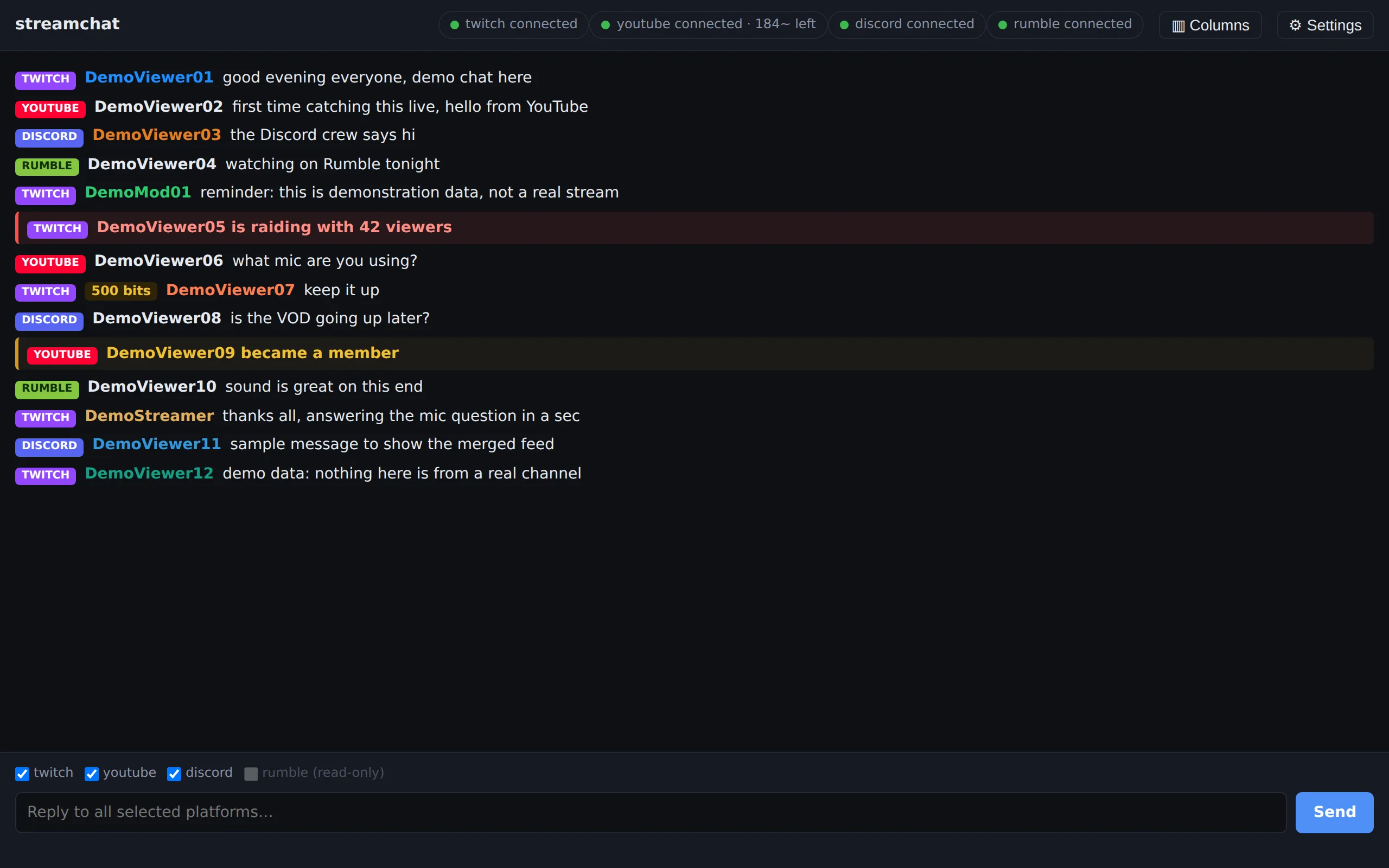
What StreamChat helps you do
- See every platform's chat in one feed, or in side-by-side columns when you want to keep them apart.
- Answer once. A reply goes out to each selected platform that supports sending, and you can see whether each one went through.
- Keep stream moments in view: raids, subscriptions, memberships, and paid messages appear in the same feed as chat.
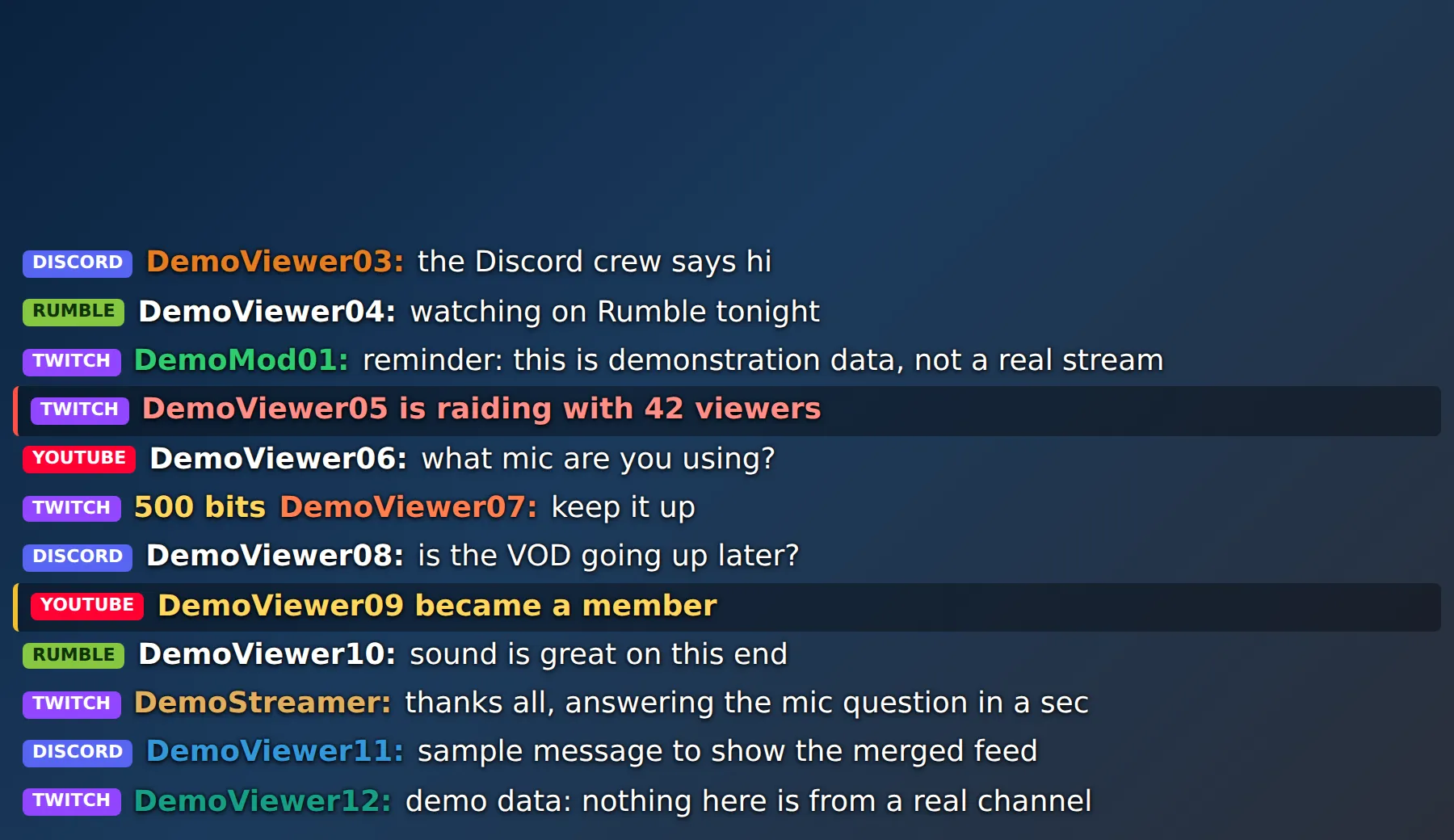
- Put the same feed on your stream as an overlay, using a browser source in your broadcast software.
What it does
- Merged chat feed from Twitch, YouTube, Discord, and Rumble, with optional per-platform columns.
- Single reply box that sends to the platforms you select, with per-platform delivery status.
- Raids, subscriptions, memberships, and paid messages shown inline with chat.
- Overlay page for your broadcast software, served from the app on your own PC.
- In-app Settings with Connect buttons for Twitch and YouTube; no configuration files to edit.
- Runs in the background with a tray icon, so closing the window does not stop chat or the overlay.
How it works
StreamChat runs on your own PC and connects directly to each platform using your own account authorization. There is no HarperMTS server in between.
Your settings, account tokens, and recent chat are kept on your machine. Messages you send go only to the platforms you select.
Twitch and YouTube connect by signing in with those accounts. Discord uses a bot you add to your server. Rumble uses the Live Stream API link from your Rumble account.
On stream
Current support and limitations
| Platform | Read chat | Reply | Notes |
|---|---|---|---|
| Twitch | Yes | Yes | |
| YouTube | Yes | Yes | Replies count against YouTube's daily API quota; StreamChat shows what is left. |
| Discord | Yes | Yes | Mirrors the channels you choose; replies post to one channel you pick. |
| Rumble | Yes | No | Read-only in StreamChat; sending is not supported. |
- Rumble chat is read-only.
- TikTok and Instagram are not currently supported.
- Currently built for Windows.
Have a question about StreamChat?
There is no public release, pricing, or sign-up yet. Get in touch and we will answer personally.